Inspect Image
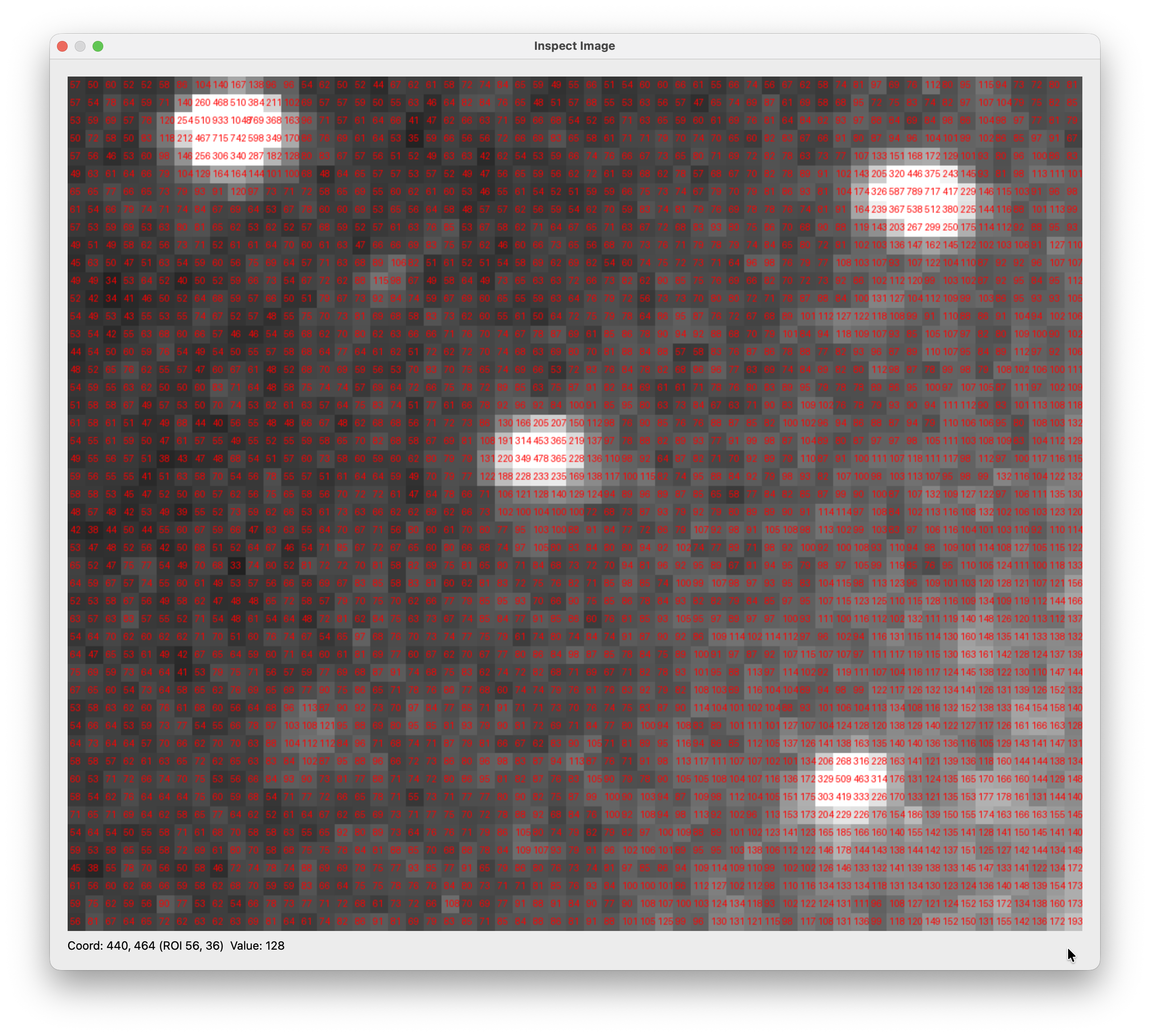
Inspect Image lets you examine the raw pixel values of any region in the current frame. Each pixel in the selected area is magnified and annotated with its true detector value at full bit depth — useful for checking peak intensities, noise floors, or detector artifacts.
How to use
Load a frame in the main viewer.
Open Tools → Inspect Image. The cursor changes to a crosshair.
Click and drag a rectangle over the region you want to inspect.
A popup opens showing the selected region magnified, with each pixel’s raw value printed in red.
Hover over any pixel in the popup to see its exact detector coordinates and value in the status bar at the bottom (
Coord: X, Y (ROI rx, ry) Value: V).
What the values represent
The values shown are the raw detector ADU counts at full bit depth, not the 8-bit display values. This means what you see here reflects the true signal recorded by the detector, regardless of any brightness, contrast, or normalization applied in the viewer.